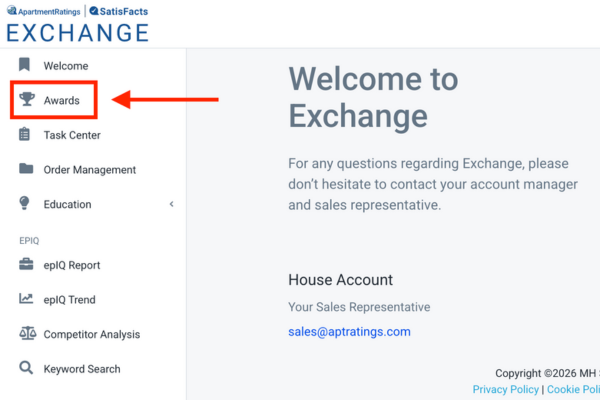
We’re excited to share an update to the Awards Page in Exchange, designed to make accessing awards and recognitions easier. All awards and recognitions, including digital badges, widgets, and more, are now located in one place for quick viewing and downloading. Below, you’ll find step-by-step instructions to help you navigate the new Awards Page.
To get started, click the “Awards” tab in the left-hand navigation of Exchange.

Once you are on the awards page, you can view your company or community awards by toggling on the top tabs.

When you scroll down on the company tab, you’ll see your digital epIQ reputation award badge and SatisFacts survey award badge. There are options to copy the code to embed on company and community websites and to download as a PNG for social media, email signatures, and more! If you did not win the award, the badge will be locked.

In the community tab, you’ll be able to view all your communities and their associated awards. You’ll also be able to access other recognitions, including the Employee Spotlight, epIQ Report Card, and ApartmentRatings widgets for each community.

If you’d like to filter by awarded or unawarded communities only, click on “All Communities” and select the filter you’d like to view.

You can click to view both your epIQ Top Rated and SatisFacts Survey community awards in the same table. Once you click “View Award,” you’ll have access to your digital award badge, which you can copy the code to embed on your community website and download as a PNG for social media, email signatures, prospect follow up, and more! If the button says “View Criteria,” that means that the community did not win the award.

If you click on “View Criteria,” you’ll be able to read the eligibility criteria and learn more about how to earn the award in the future.

When you view APT widgets for a community, you’ll see a selection of website widgets designed to showcase that community’s ApartmentRatings reviews and epIQ Score. These widgets can be embedded directly on your website by clicking Copy Code to highlight the community’s ApartmentRatings page, most recent reviews, and current epIQ Grades.
